
scroll
Year: 2024-2025 | Type:Part-time job | Role: Designer | Tool: Figma
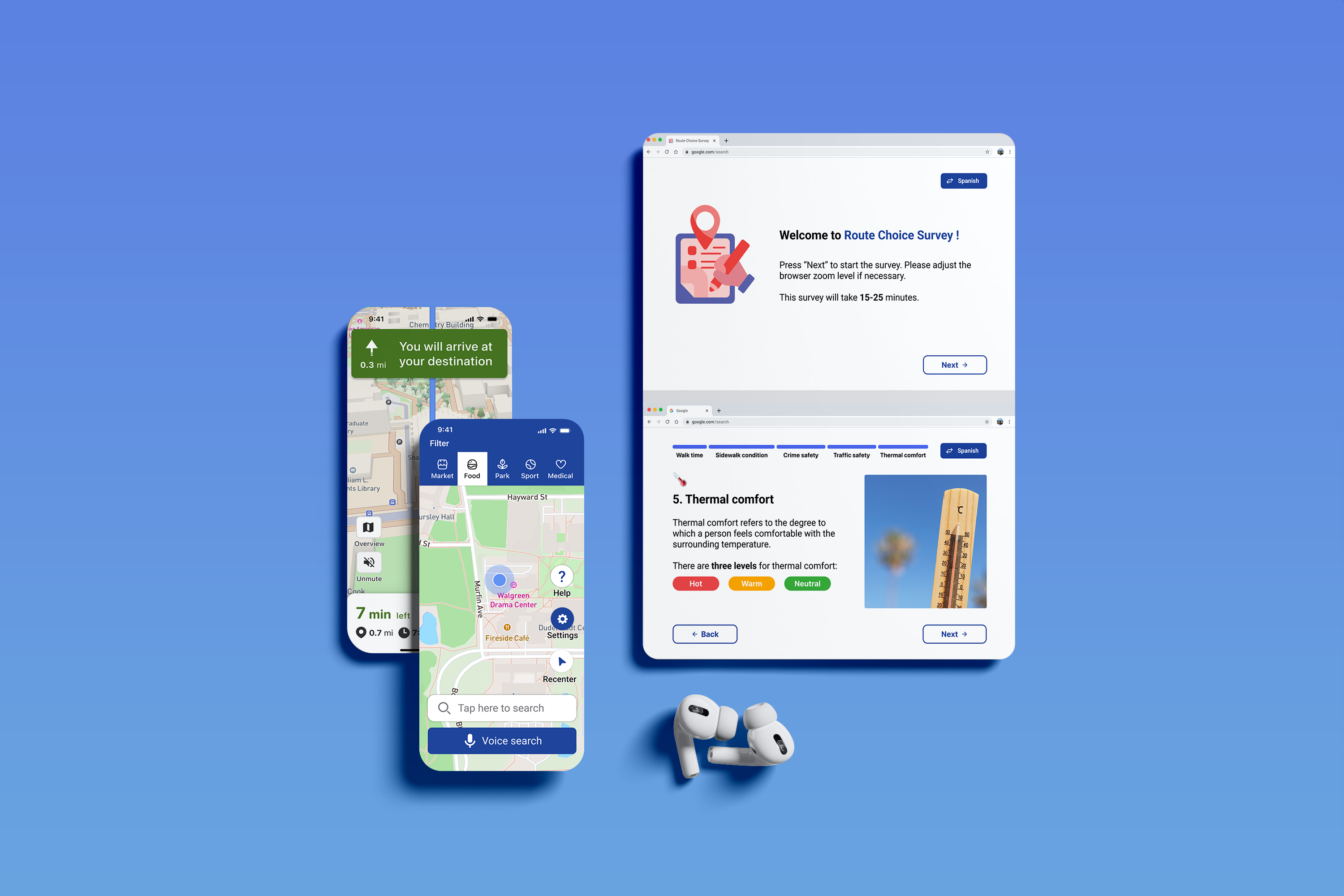
Under the support of the National Science Foundation, this project aims to develop a mobile application designed to improve the walking experience of older adults. My responsibilities include creating and refining the application’s design, collaborating with developers to ensure design alignment with technical feasibility throughout the development process, and conducting usability testing to identify areas for improvements.
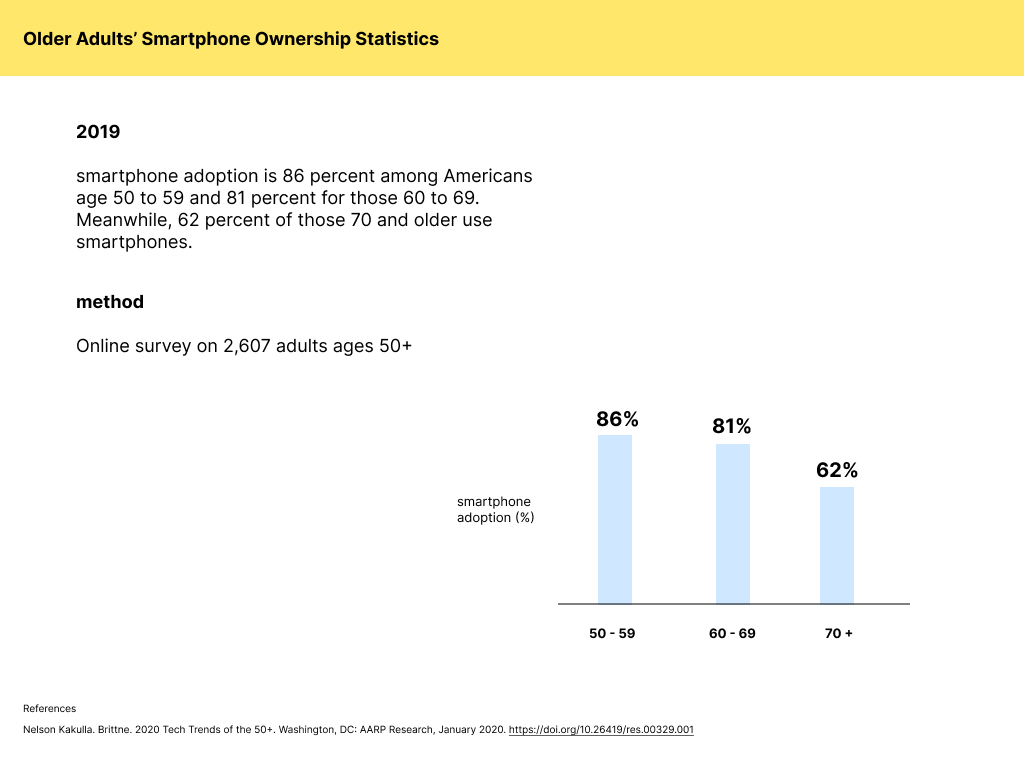
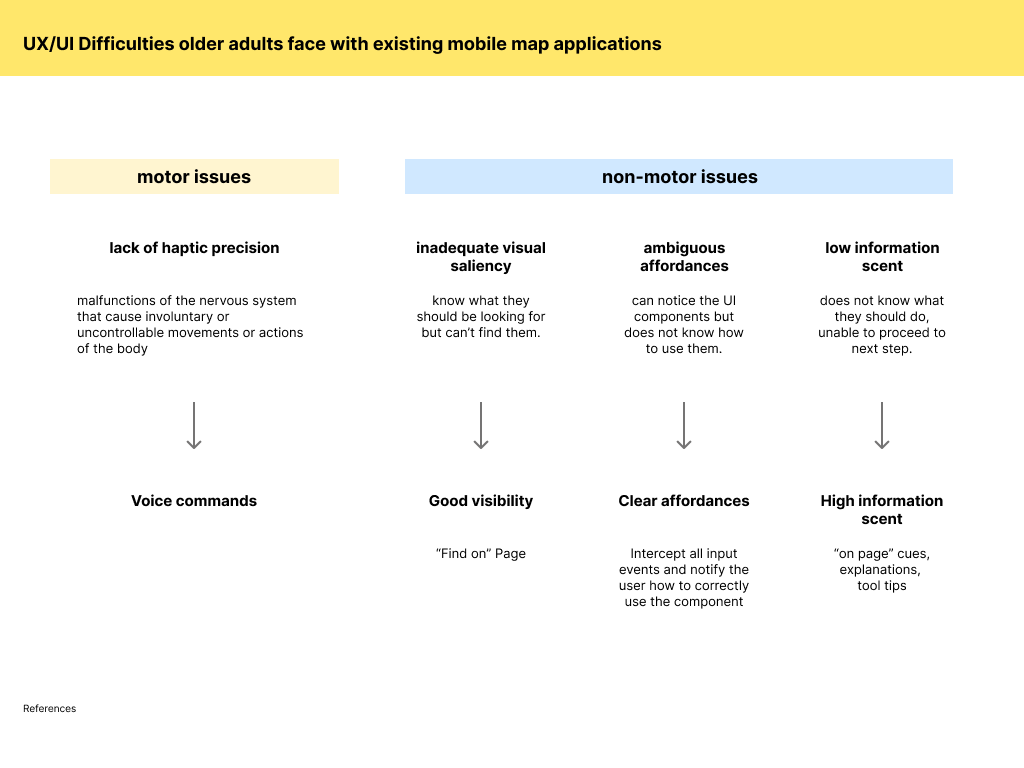
In 2013, only 18% of US adults ages 65 or above owned a smartphone [1]. In 2024, 79% of older adults owns smartphones [2]. The usage of mobile phones and technologies are significantly increased. Mobile maps applications are popular among all ages include senior adults, which assist them navigate independently and avail city facilities. However, the interface design decisions of mainstream mobile apps are rarely aligned with older adults’ changing abilities. Research indicates that the accessibility features for those map applications are not sufficient for older adults as they encounter hundreds of issues due to inadequate visual saliency, ambiguous affordance, and low information scent[1]. Therefore, this study aims to develop a walking navigation app tailored for older adults and propose design modifications that remove usability barriers, enhance accessibility, and foster greater confidence in independent navigation. Through usability testing, we will evaluate whether these modifications improve ease of use and reduce cognitive loads for seniors.
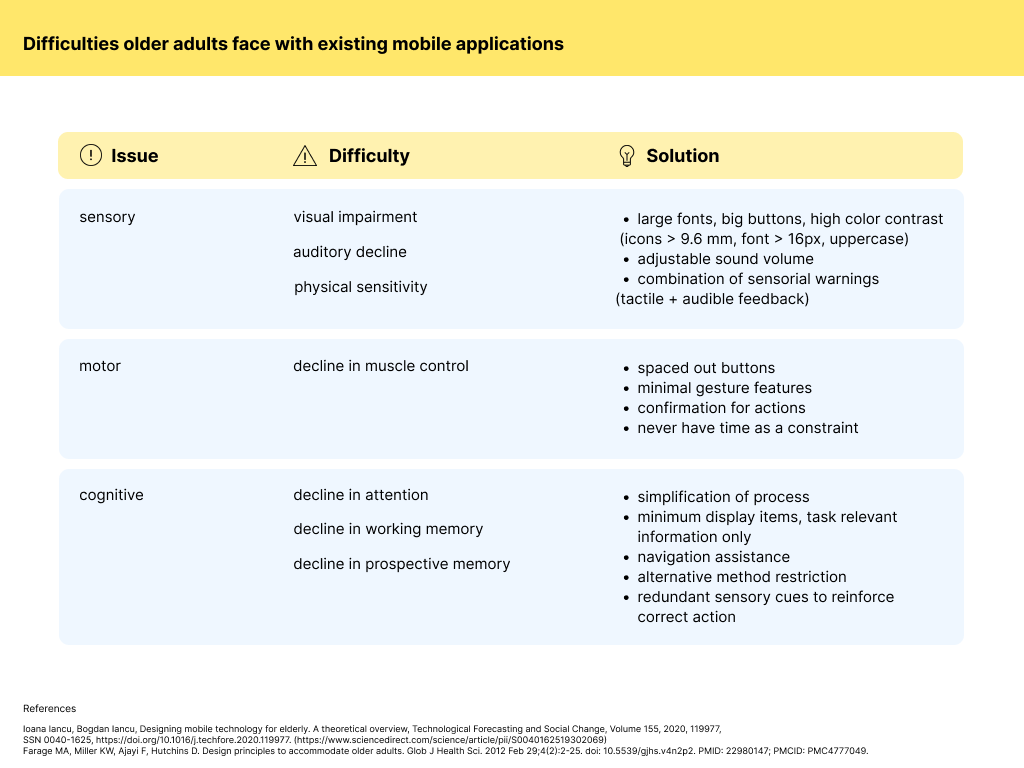
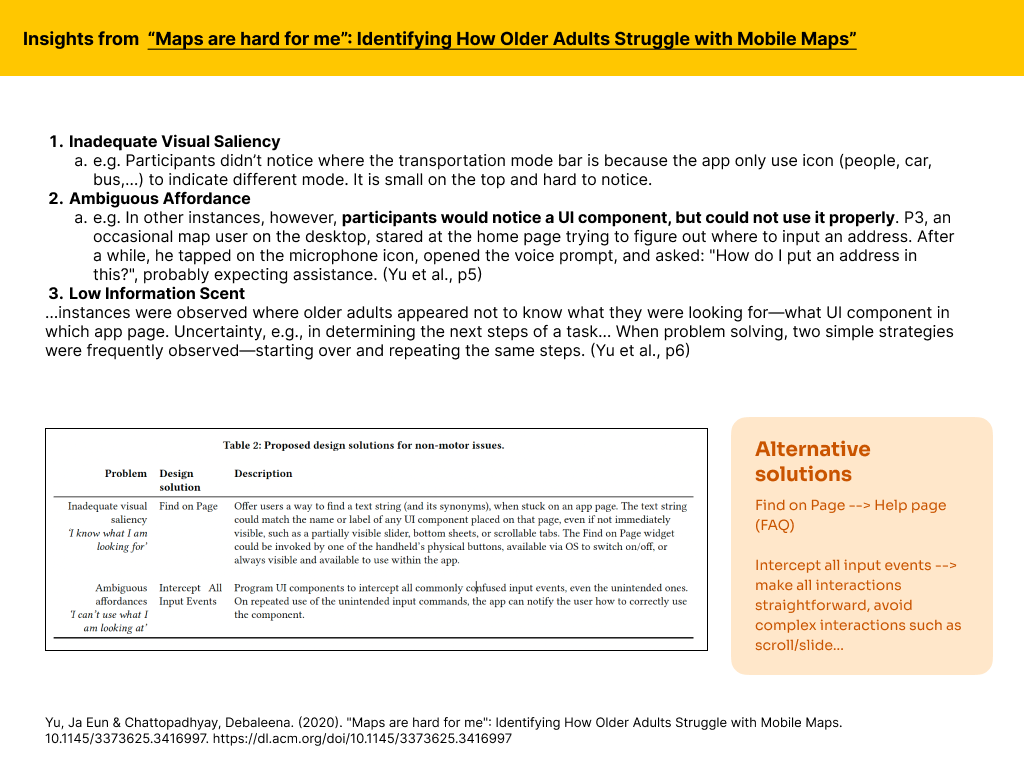
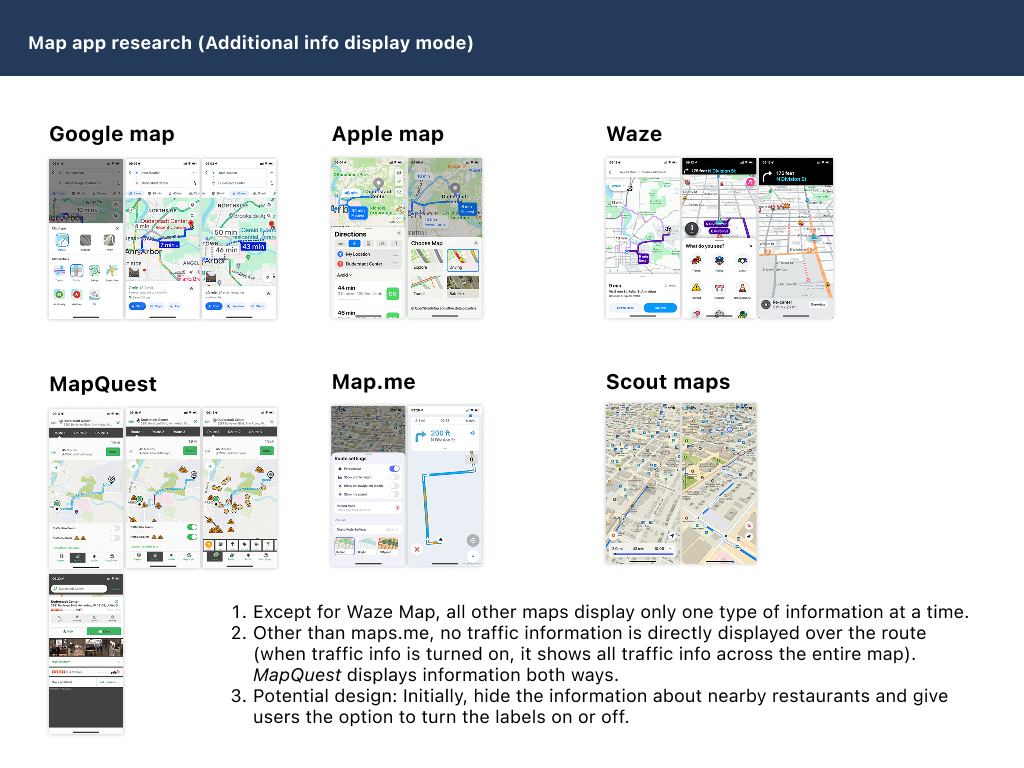
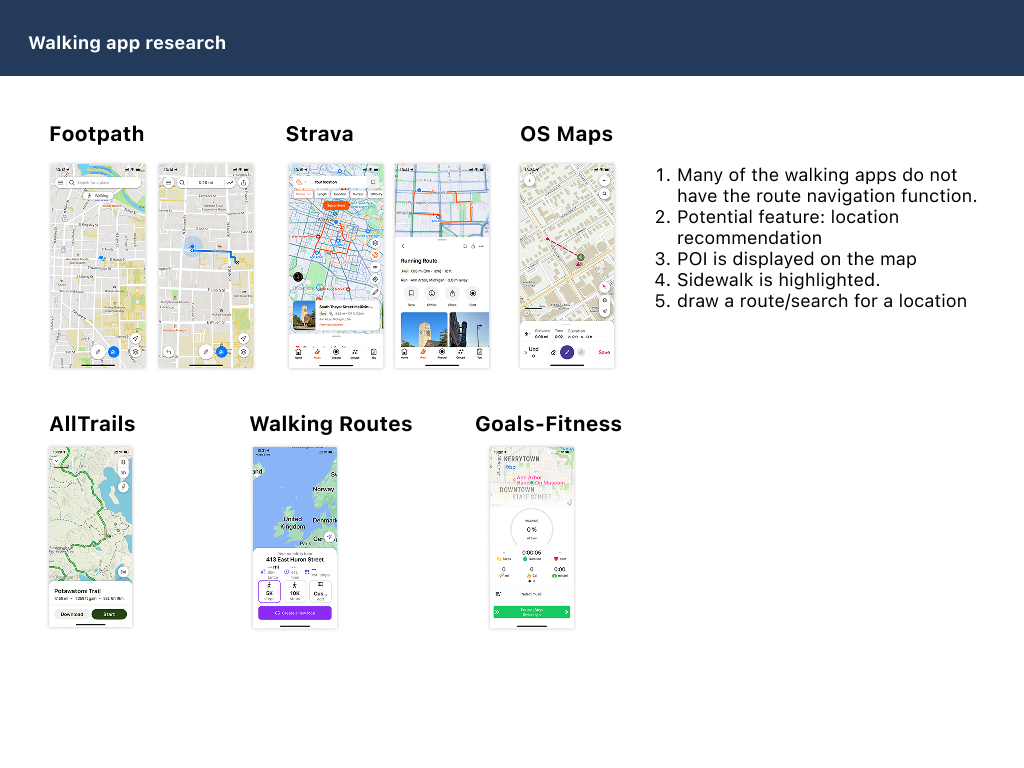
We conducted a competitive analysis of existing mobile navigation apps to identify their strengths and weaknesses in serving older adult users. The analysis revealed that while some apps offer basic accessibility features, they often fall short in providing a user-friendly experience tailored to the needs of seniors. Key findings from the analysis include:
1. Many apps have small text sizes and complex interfaces that can be difficult for older adults to navigate.
2. Few walking apps provide multimodal navigation aids, such as voice guidance and haptic feedback, which are crucial for seniors with varying levels of vision and hearing abilities.
3. Sidewalk and pedestrian path information is often lacking or inaccurate, making it challenging for older adults to find safe and comfortable walking routes.
4. There is a lack of personalized route recommendations that consider factors important to older adults, such as surface condition, safety and comfort.
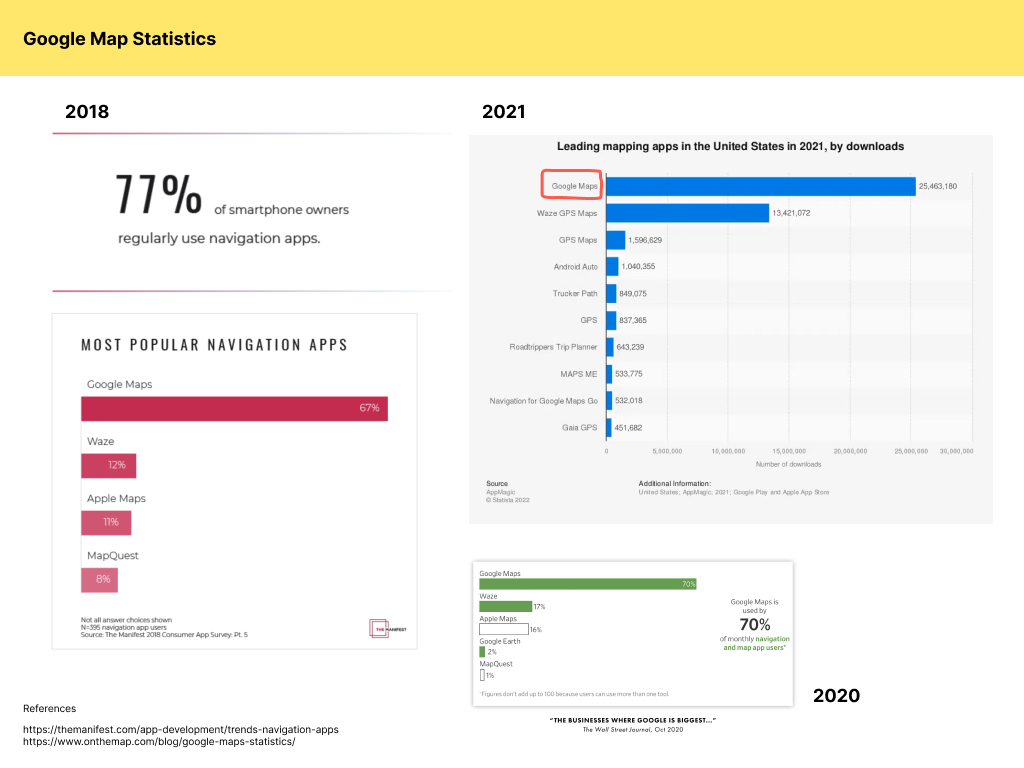
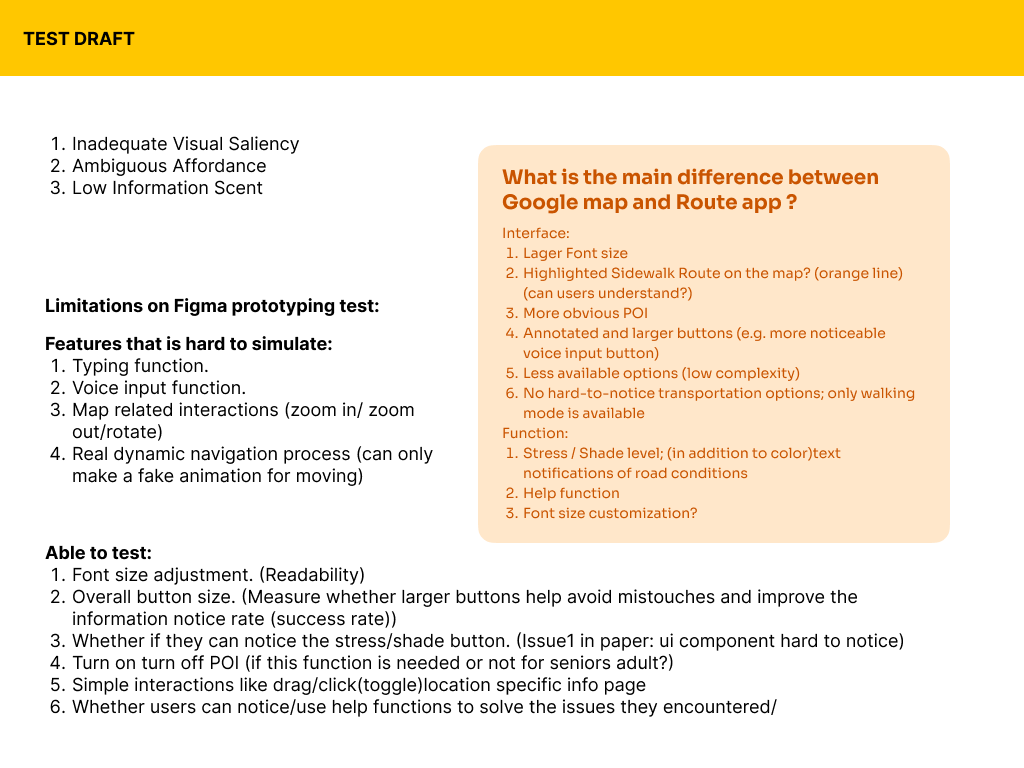
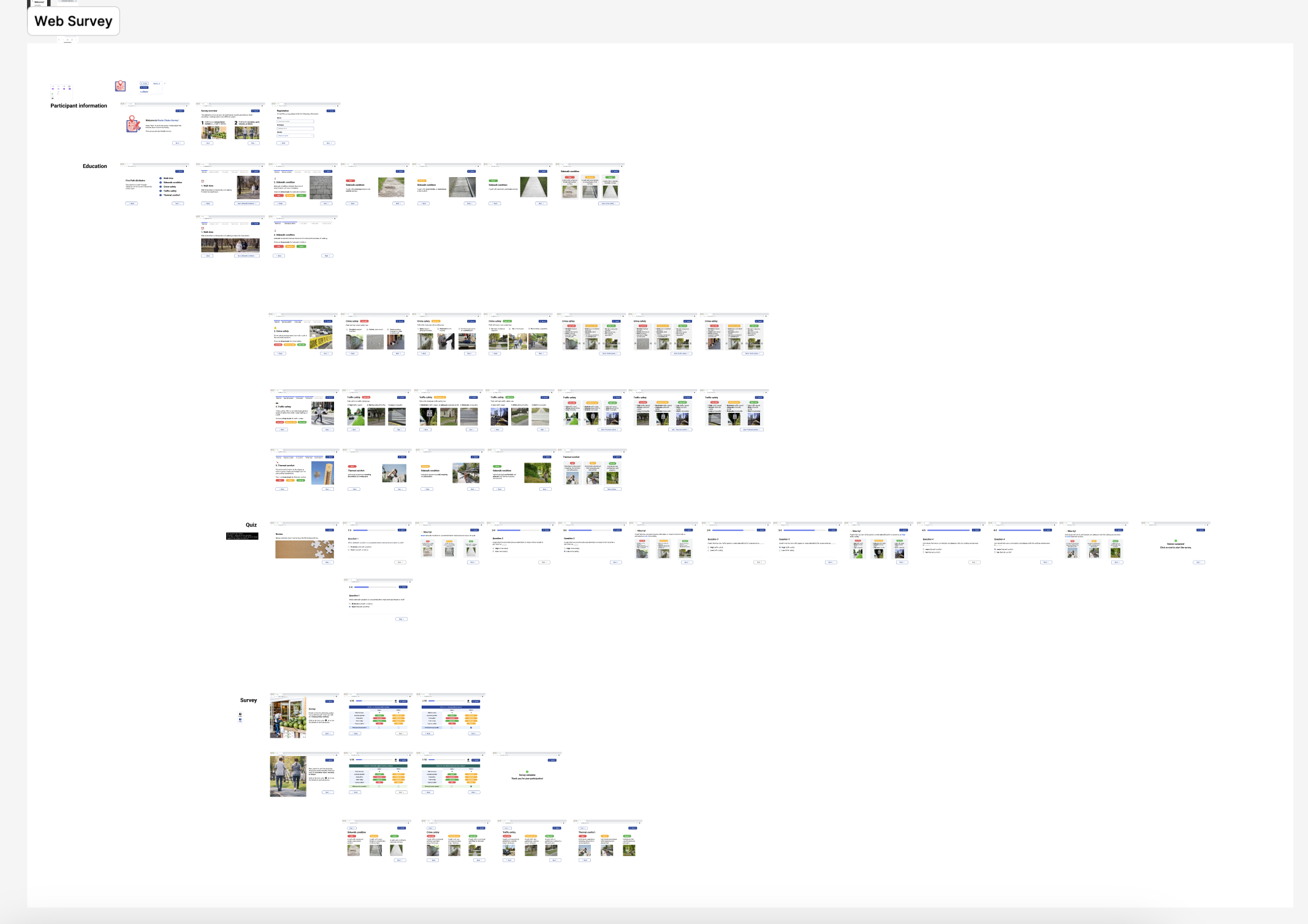
To address these issues, we conducted user survyes to understand what factors of conditions affects older adults' walking experiences the most. The results indicated that surface condition, safety, and comfort are the top three factors that older adults consider when choosing walking routes. Based on these insights, we aim to design a walking navigation app that prioritizes accessibility and user-friendliness for older adult users, while also providing personalized route recommendations that consider their specific needs and preferences.
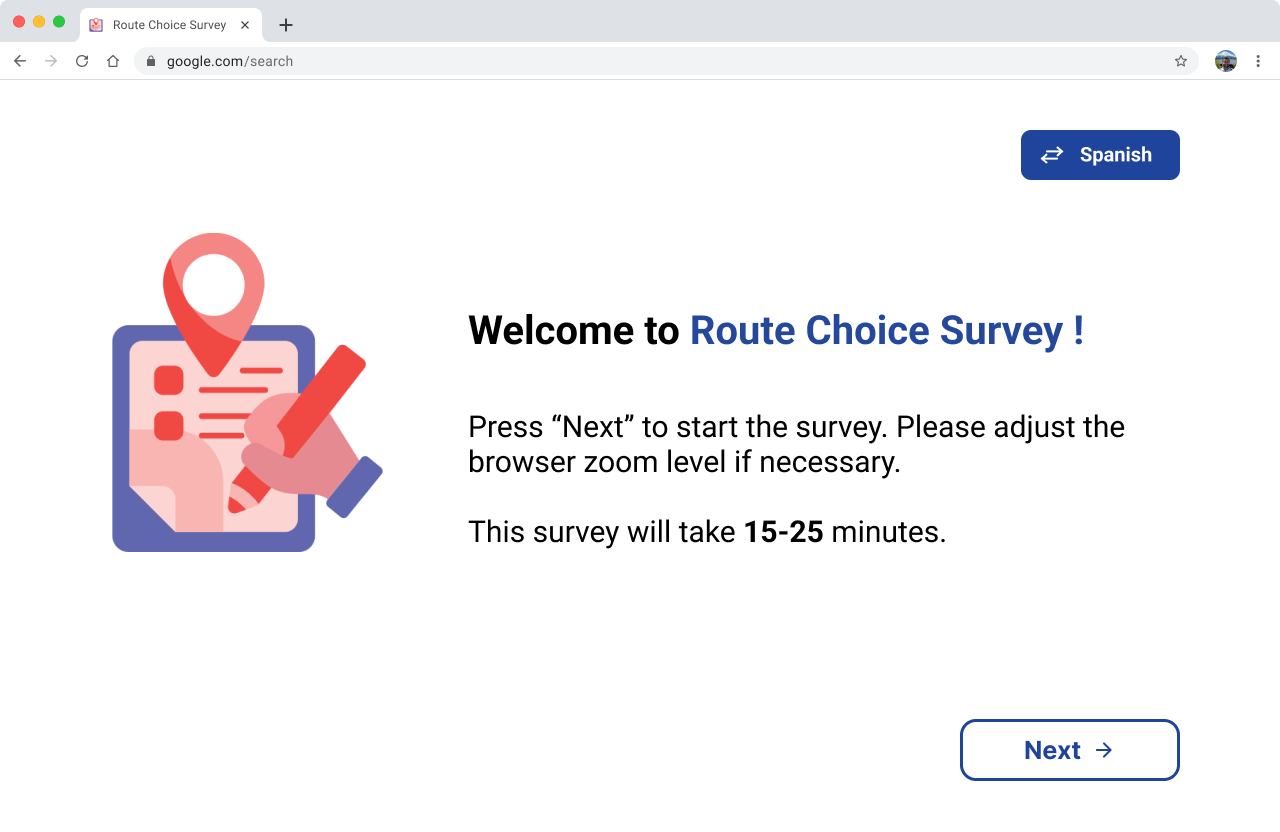
The findings from our research highlighted several key areas for improvement, including the need for larger text sizes, simplified interfaces, multimodal navigation aids (such as voice guidance and haptic feedback), and personalized route recommendations that consider factors important to older adults, such as surface condition, safety, and comfort.
Based on these insights, we designed a walking navigation app tailored specifically for older adults, incorporating features that address their unique requirements and improve their overall walking experience.
The app is built specifically for senior users, following mobile accessibility guidelines for older adults. It centers on 5 core features:
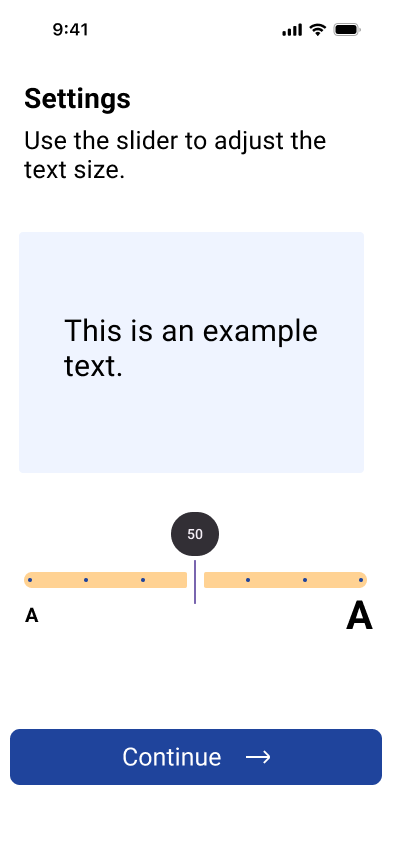
To better serve senior users, the very first step is adjusting font size to their preference — putting readability first before anything else.
The five POIs most relevant to older adults are surfaced up front and can be filtered, so the places they care about are always one tap away.
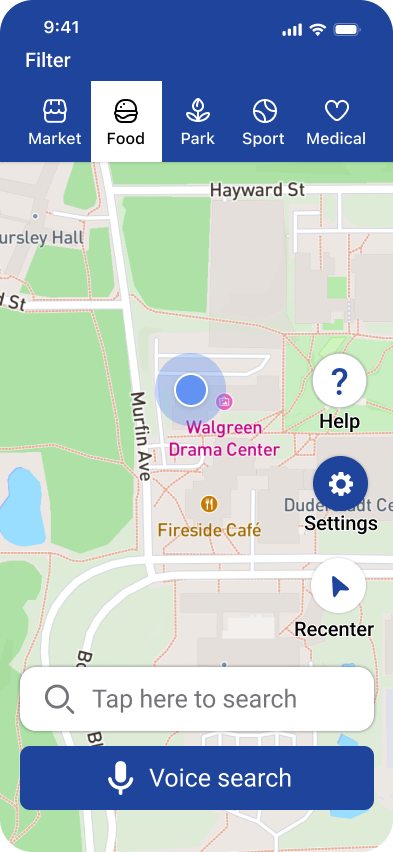
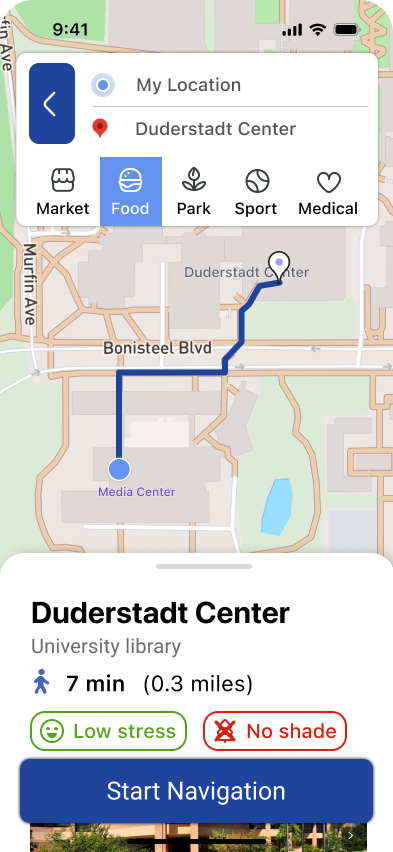
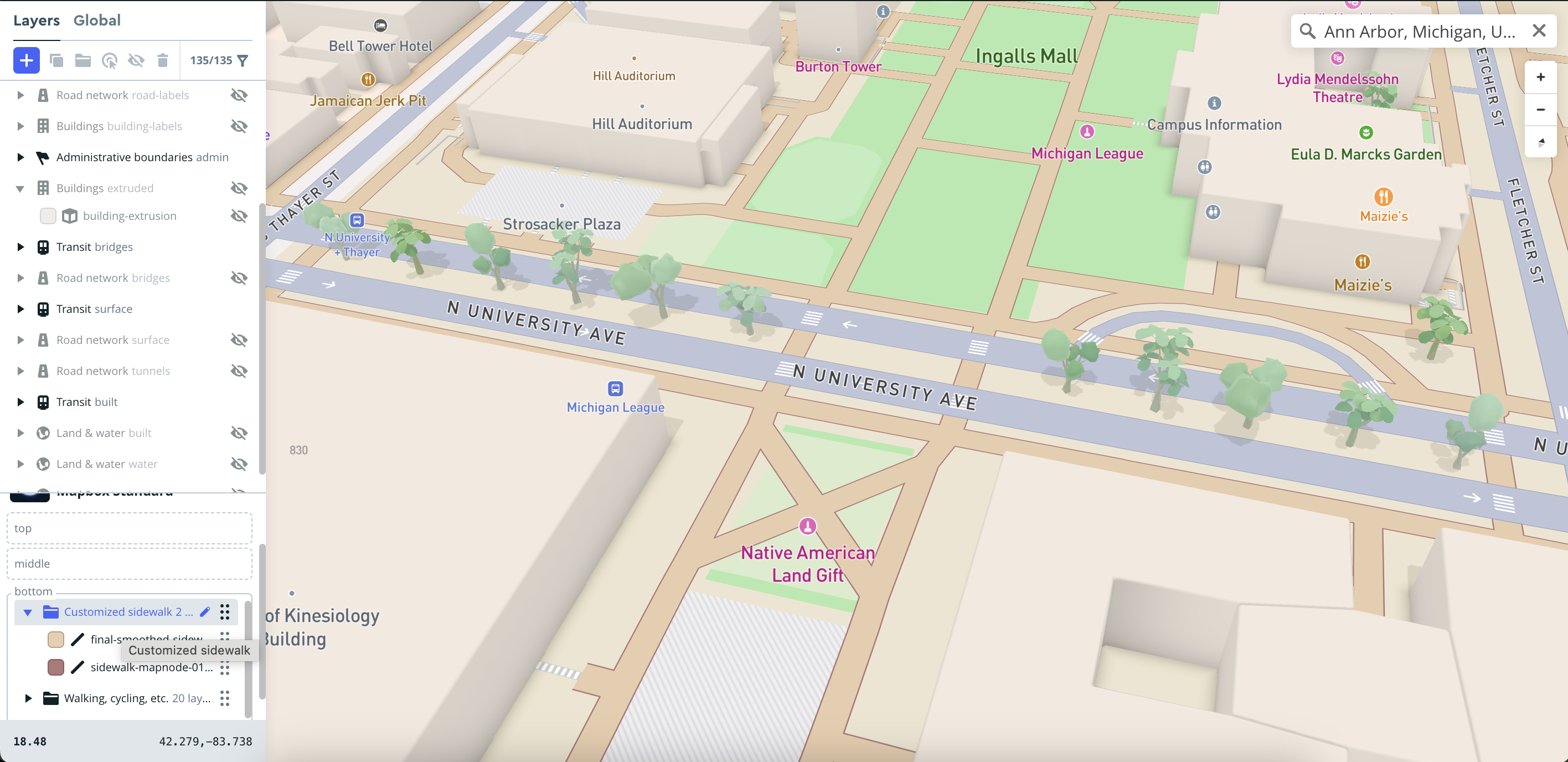
Users can switch between 2D and 3D map views, with sidewalk information customized and highlighted via Mapbox. Voice, text, and haptic guidance work together to make navigation easier to follow.
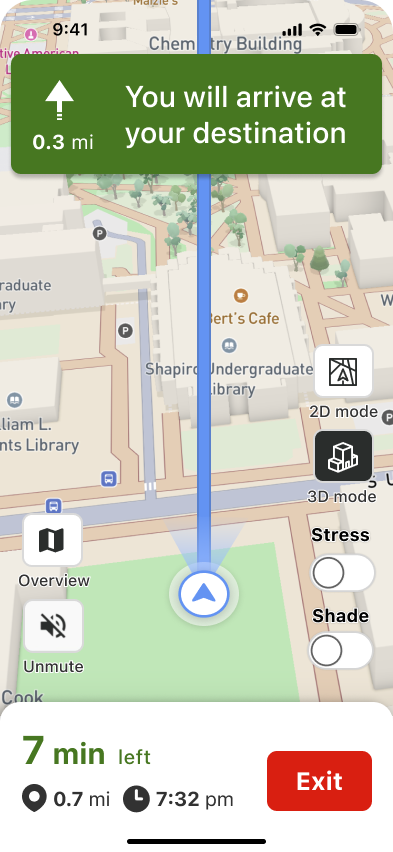
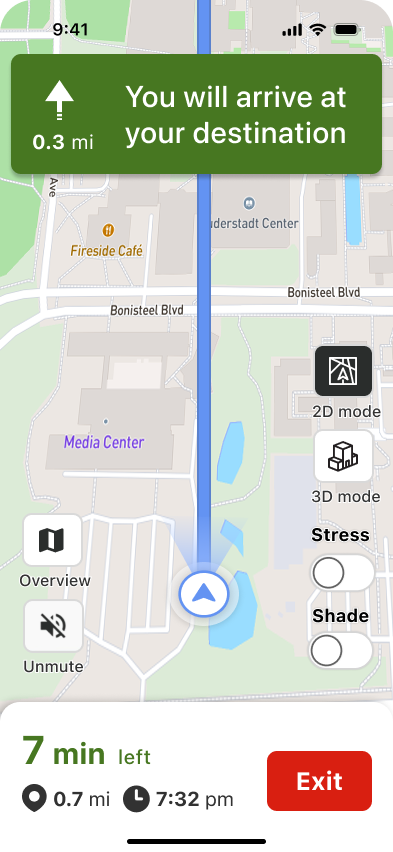
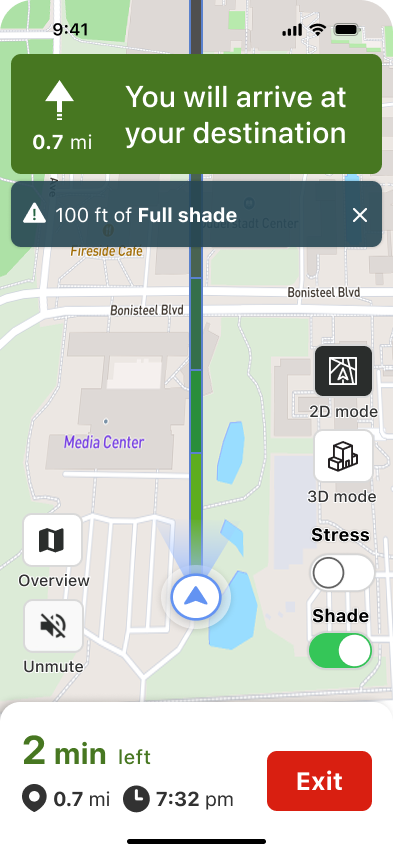
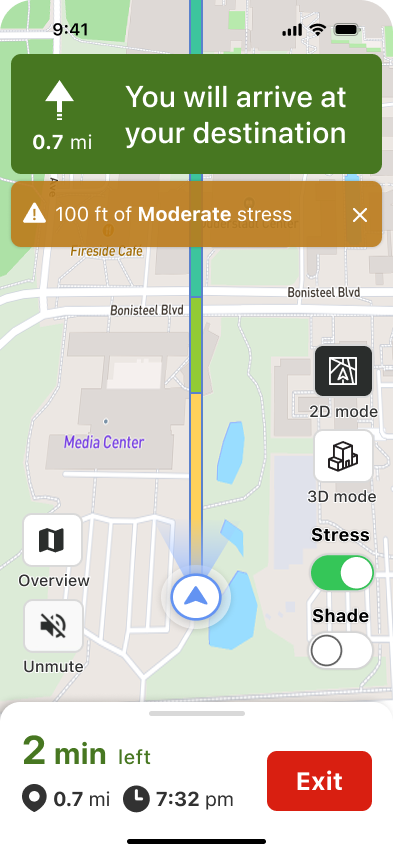
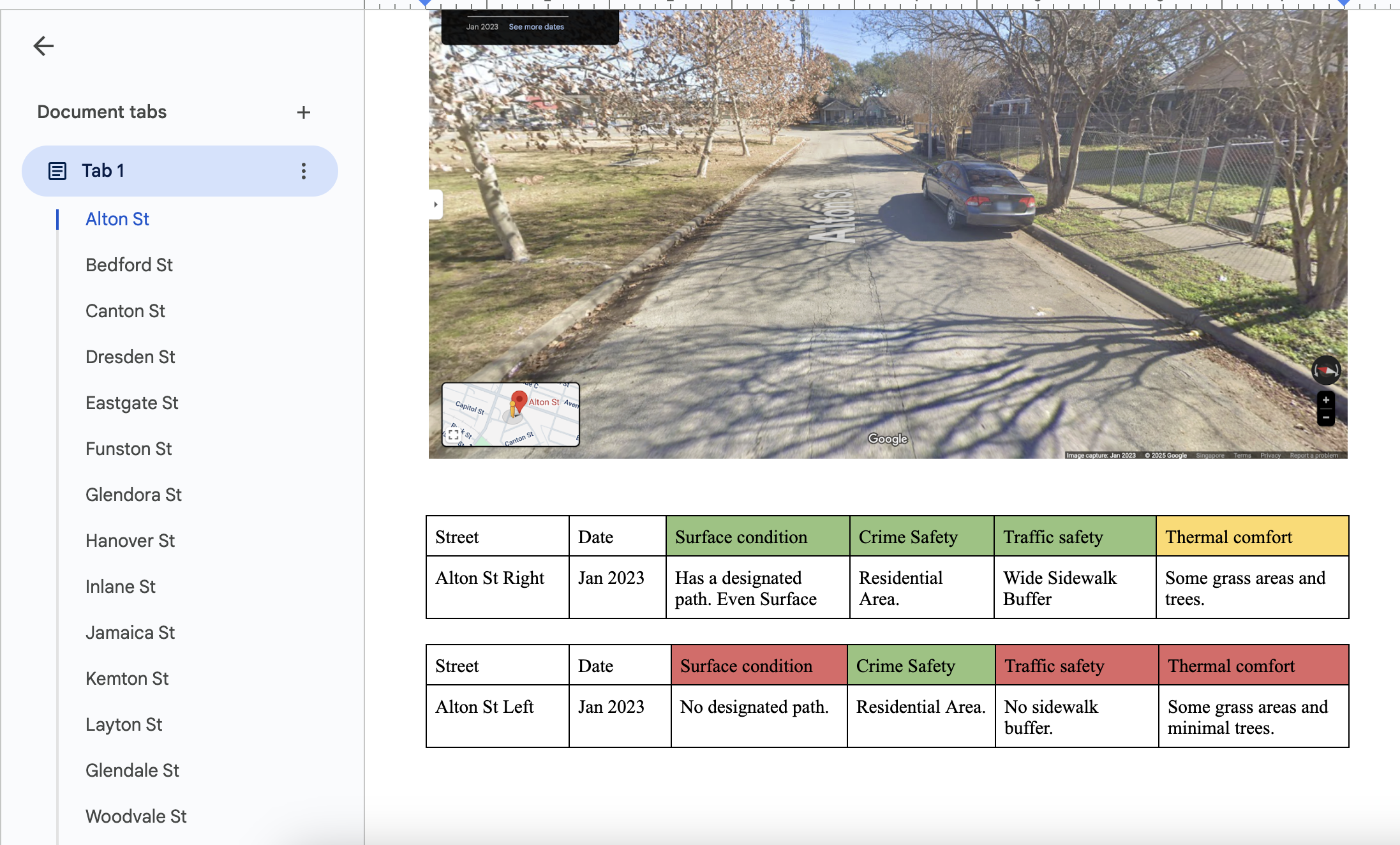
Our team built a custom optimal walking-route algorithm, collecting data on surface condition, traffic and crime safety, and thermal comfort to recommend routes that feel right for older adults.
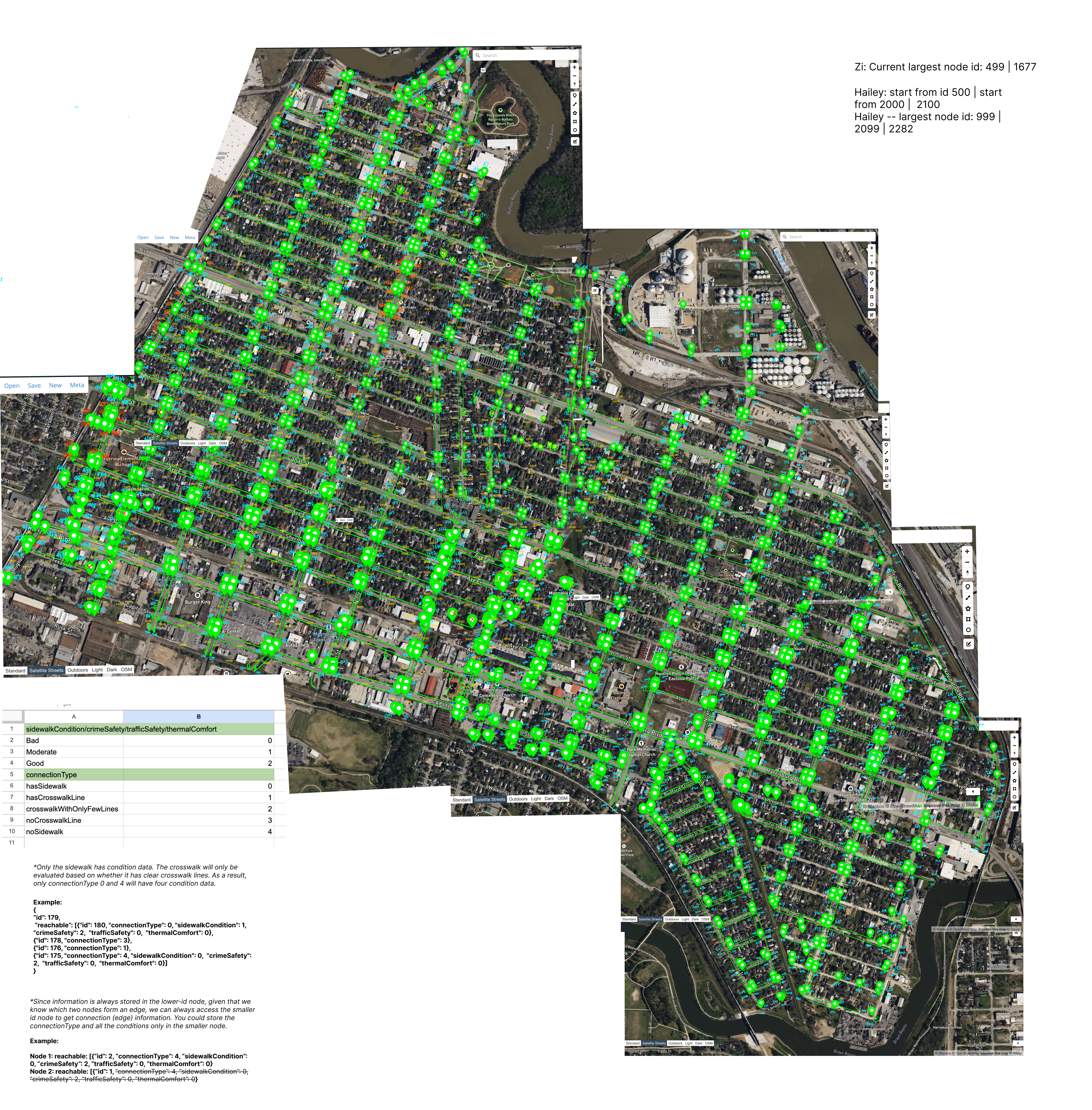
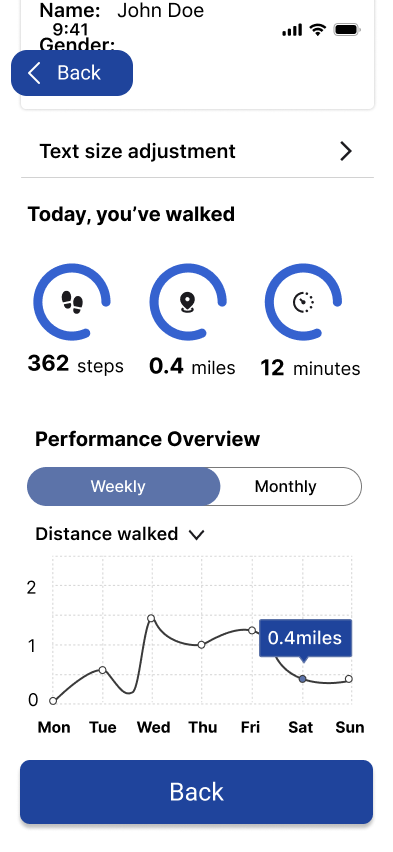
Weekly walking records and an in-app survey help users track their activity and give feedback on usability and route conditions — motivating older adults to walk more and improve their health.
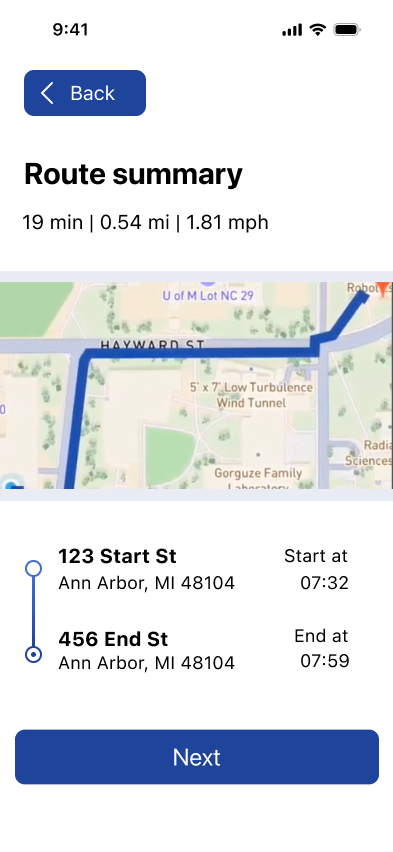
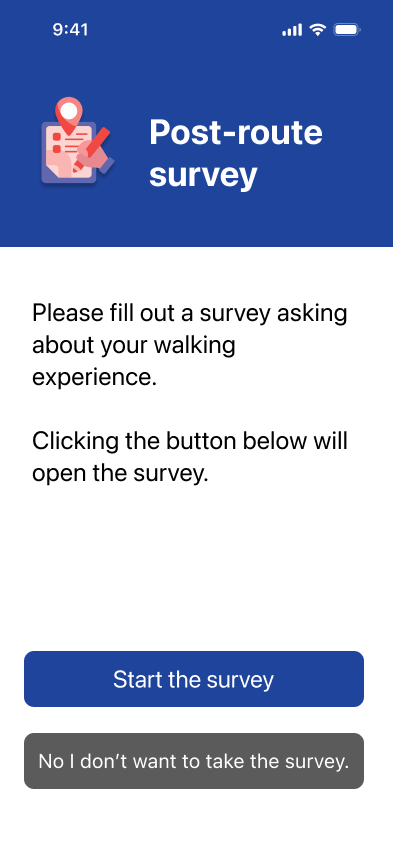
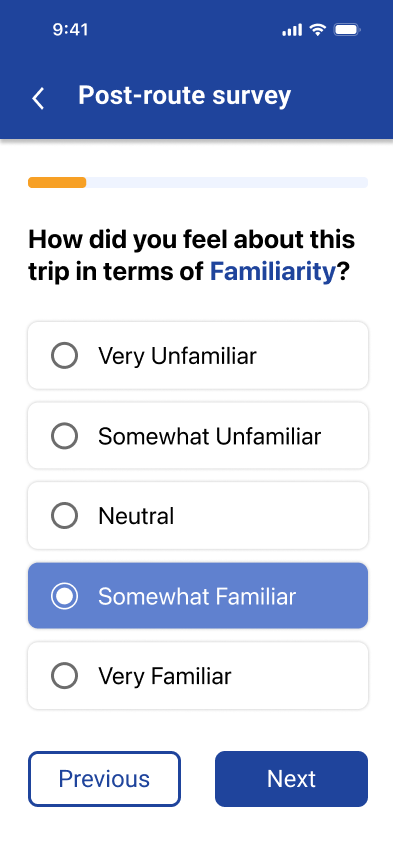
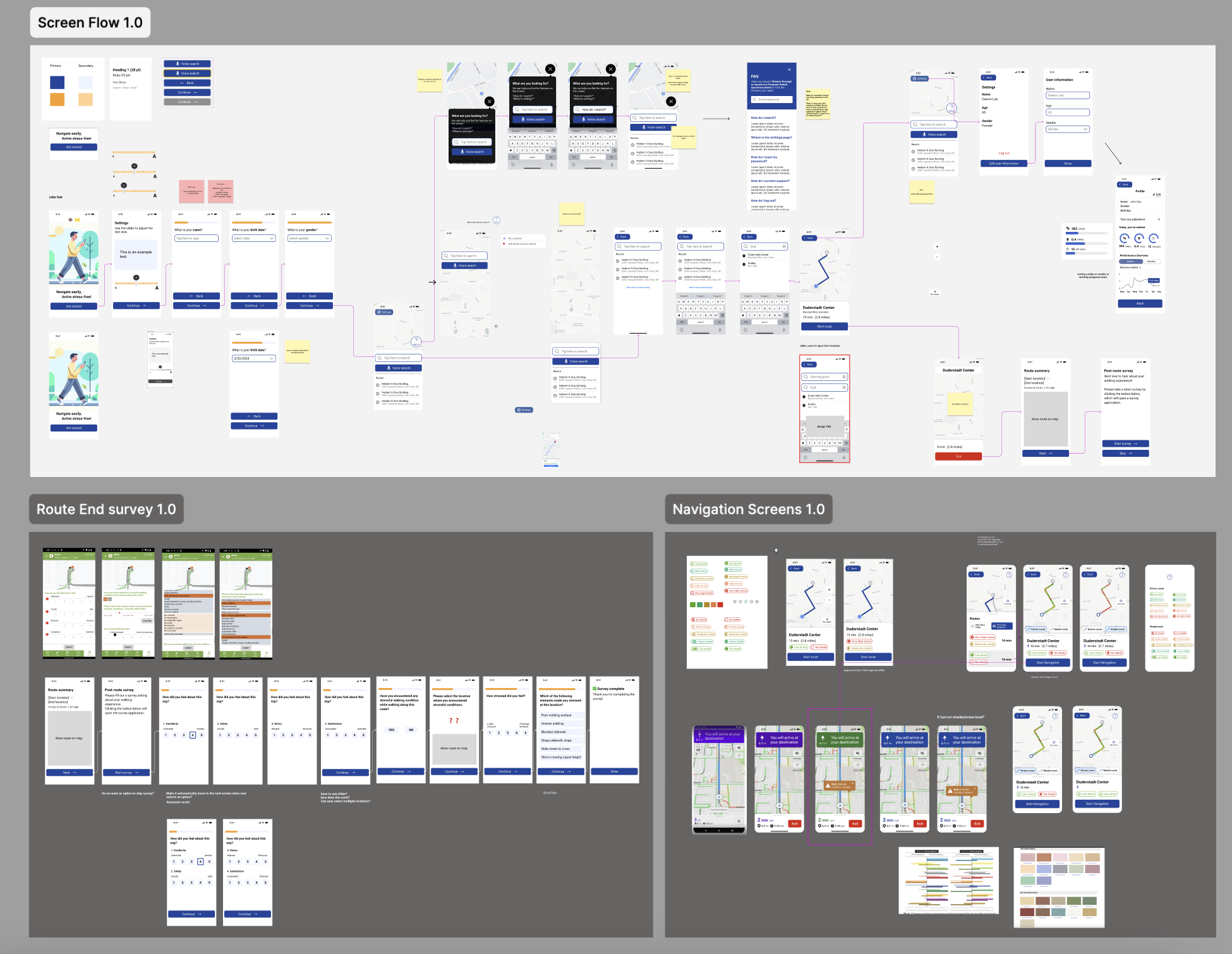
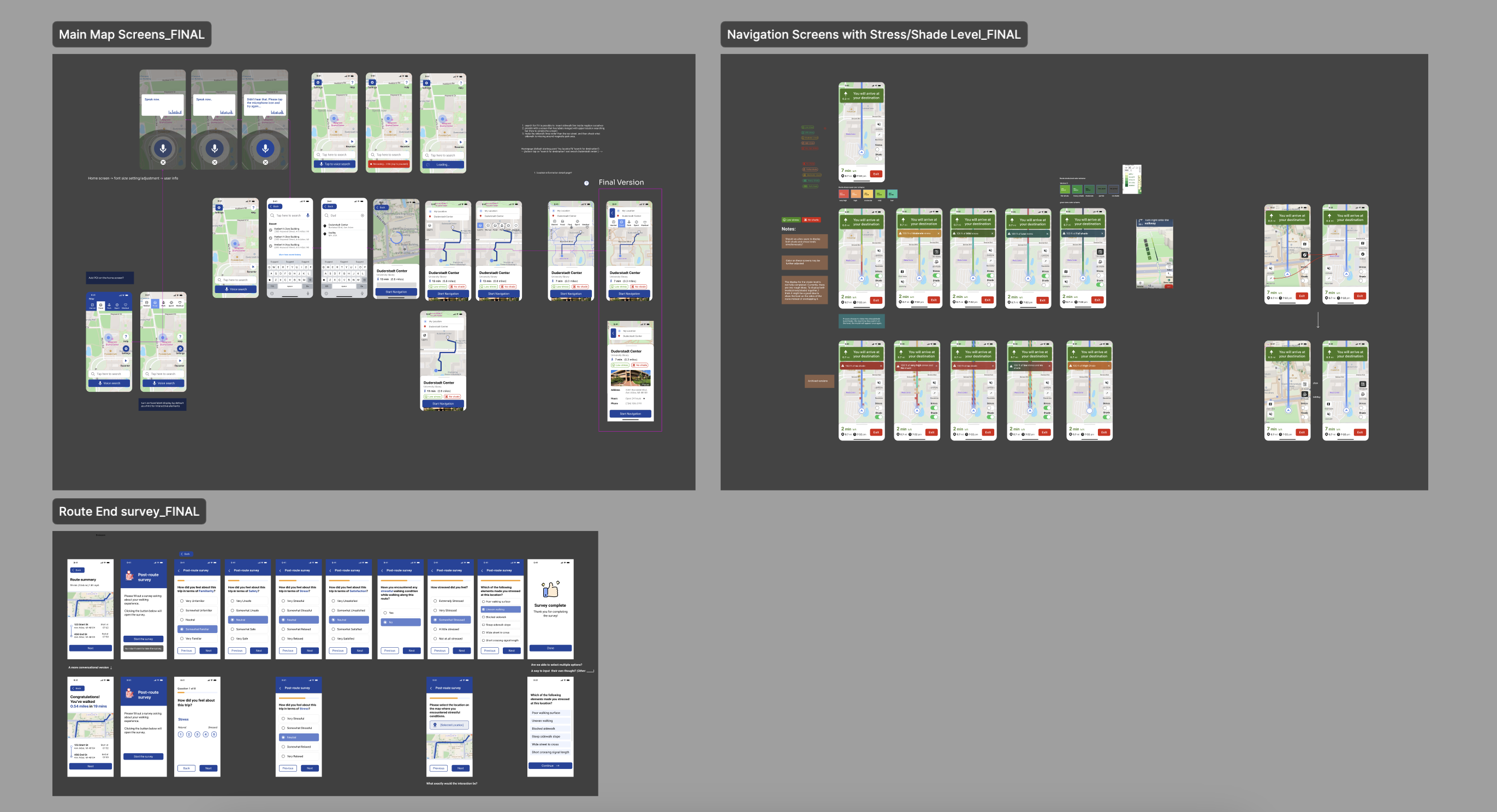
The user flow of the Route App is designed to be intuitive and straightforward, ensuring that older adult users can easily navigate through the app's features. The main user flow consists of the following steps: Presets, Map View, Navigation, Route Survey, and Settings.
Users begin by adjusting preset settings. They can then access the map view to search for destinations using text or voice input. Once a destination is selected, users can choose between 2D and 3D map modes for navigation, with highlighted sidewalk information for better visibility. After completing their walk, users are prompted to fill out a route survey to provide feedback on their experience. Finally, users can access the settings menu to update personal information and review their weekly walking records.
I conducted usability tests with 10 older adult participants to evaluate the app's design and functionality. The tests focused on assessing the ease of use, accessibility features, and overall user experience. Participants were asked to complete a series of tasks using the app, including adjusting settings, searching for destinations, navigating using different map modes, filling out route surveys, and checking walking records.
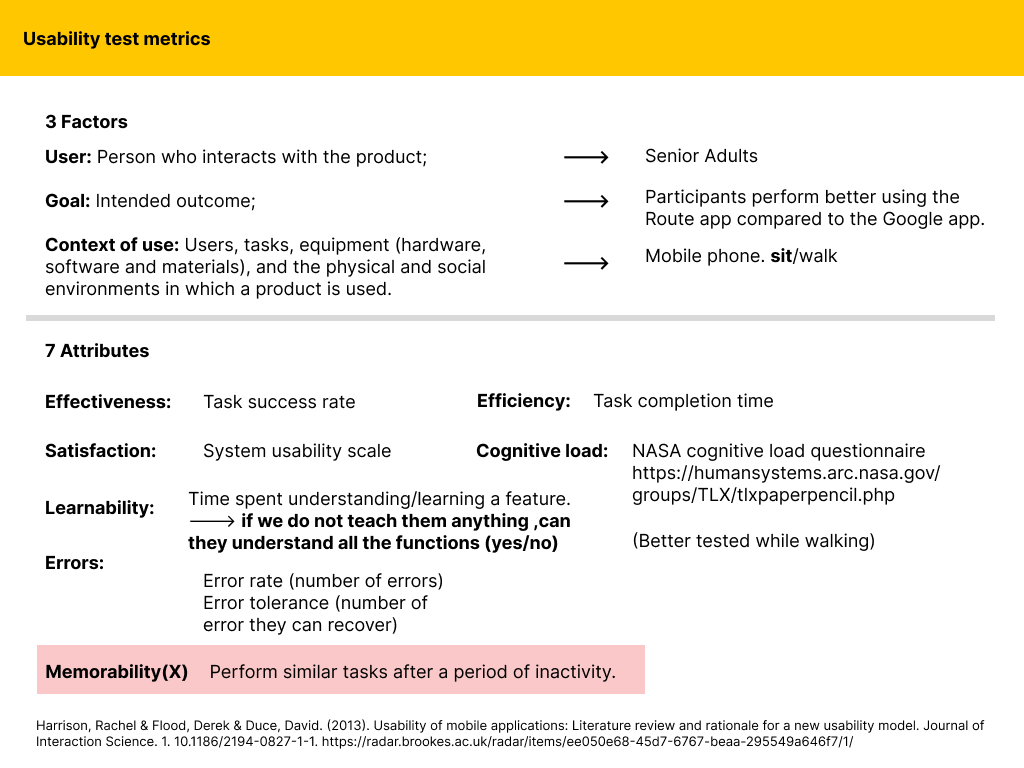
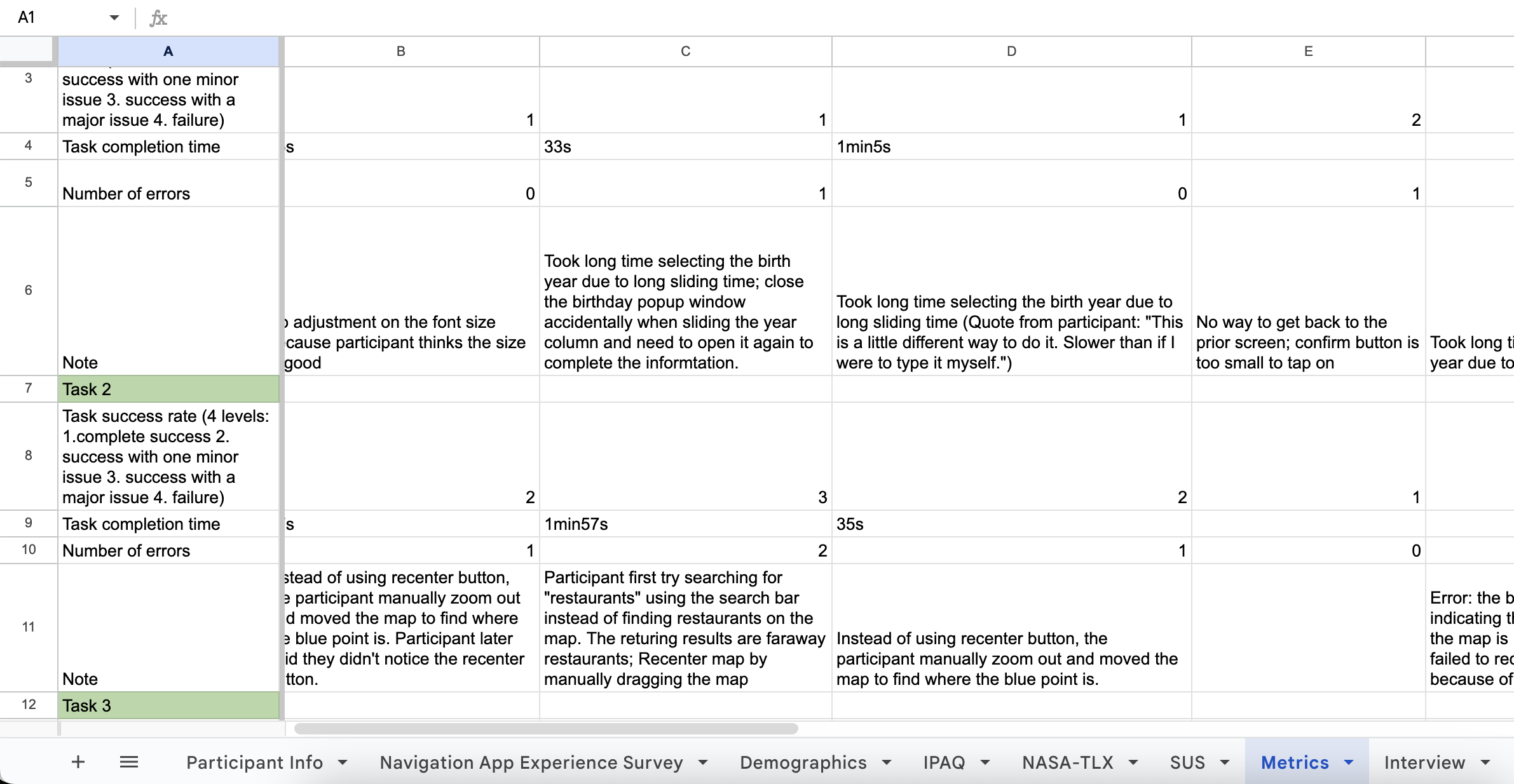
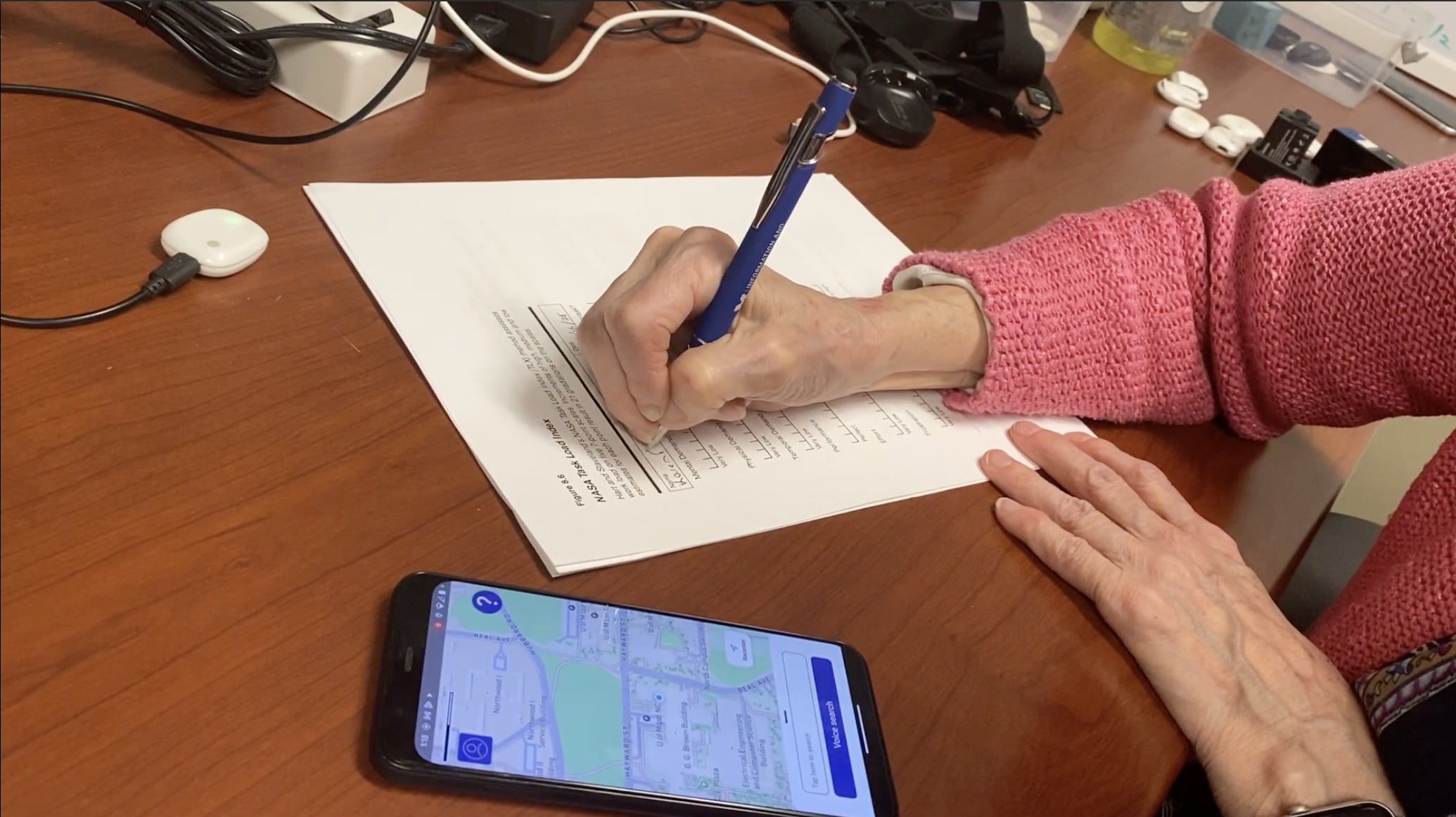
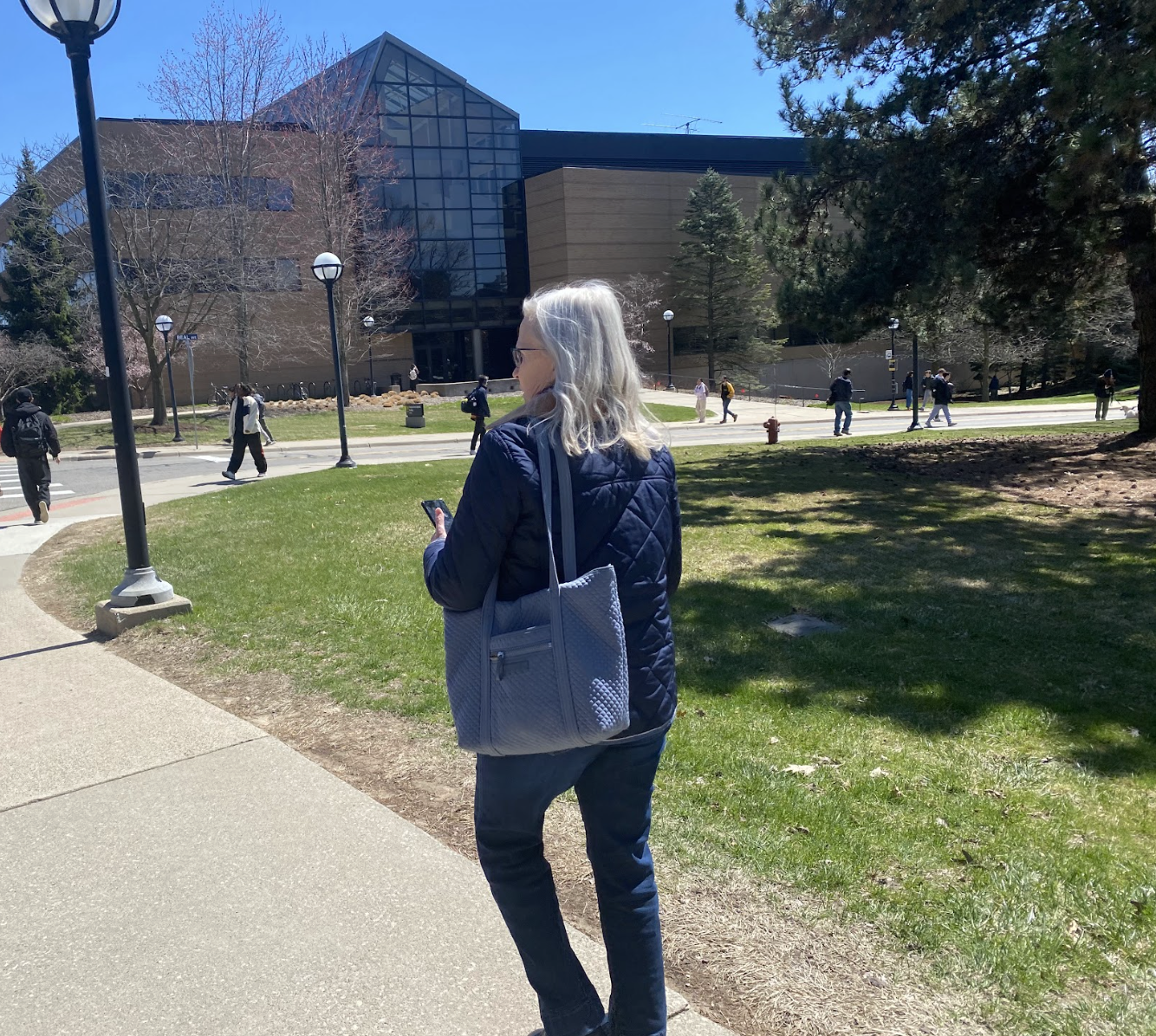
Task success rate (4 levels: 1.complete success 2. success with one minor issue 3. success with a major issue 4. failure): Overall task success rate: 65% of participants with complete success; 20% were able to complete tasks with one minor issue.
Cognitive Load based on NASA-TLX: Overall task load score is 14.95 out of 100, indicating a low to medium perceived workload.
SUS score: The average overall SUS score across all participants is ≈ 85.56 / 100, which indicates excellent usability according to standard SUS interpretation (typically anything above 80 is considered “excellent” or “grade A”)
I gained valuable insights into the user preference and areas for improvement. Participants appreciated the simplified interface, multimodal navigation aids, and stress level indicator (indicator of surface condition, traffic safety and thermal comfort of current sidewalk), which enhanced their overall experience. However, some users encountered challenges with certain features, such as voice input/voice guidance accuracy, missing back options/loading status indication, and understanding the stress level/shade level indicator.
Based on the feedback received, I made several design refinements to improve usability and accessibility, ensuring that the app better meets the needs of older adult users.
The Route App has the potential to significantly enhance the walking experience for older adults by addressing their unique needs and challenges. By providing an accessible and user-friendly navigation tool, the app can empower seniors to walk more confidently and independently, promoting physical activity and overall well-being. The personalized route recommendations based on surface condition, safety, and comfort can help older adults choose routes that are best suited to their preferences and abilities, further encouraging them to engage in regular walking activities.
Due to unexpectedly frozen recruitment budget, we were only able to conduct usability tests with 10 older adult participants instead of the planned ~30. This limited sample size may affect the generalizability of our findings and the robustness of our design improvements. Future studies with a larger and more diverse participant pool are needed to validate the app's effectiveness and further refine its features based on broader user feedback.
Future improvements for the Route App could include integrating real-time data on sidewalk conditions and hazards.
[1] Yu, J. E., & Chattopadhyay, D. (2020). "Maps are hard for me": Identifying How Older Adults Struggle with Mobile Maps. ACM SIGACCESS Conference on Computers and Accessibility (ASSETS '20). https://doi.org/10.1145/3373625.3416997
[2] Pew Research Center. (2019). Mobile Fact Sheet. Retrieved March 13, 2025, from https://www.pewinternet.org/fact-sheet/mobile/